Windows Standalone
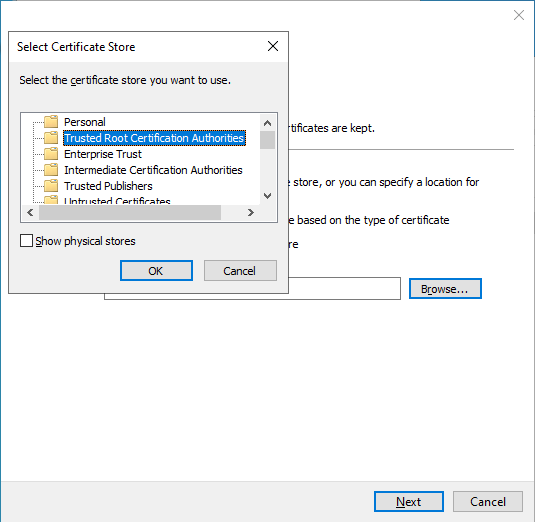
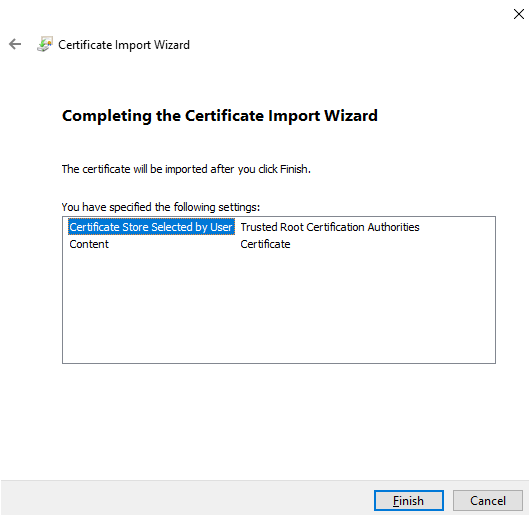
Manual SSL Installation
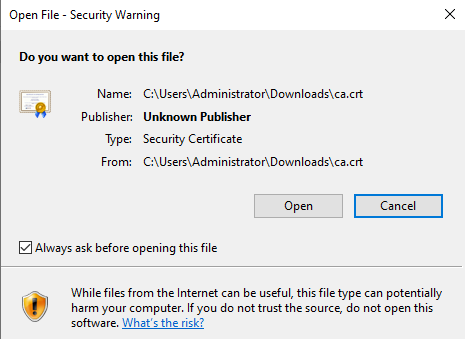
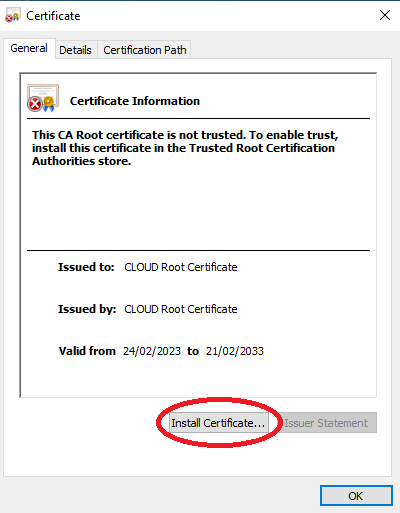
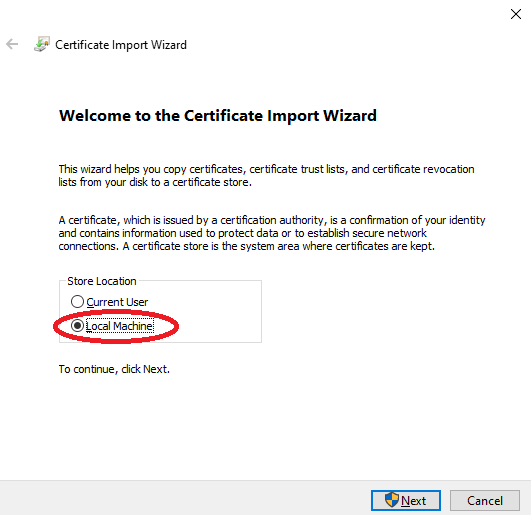
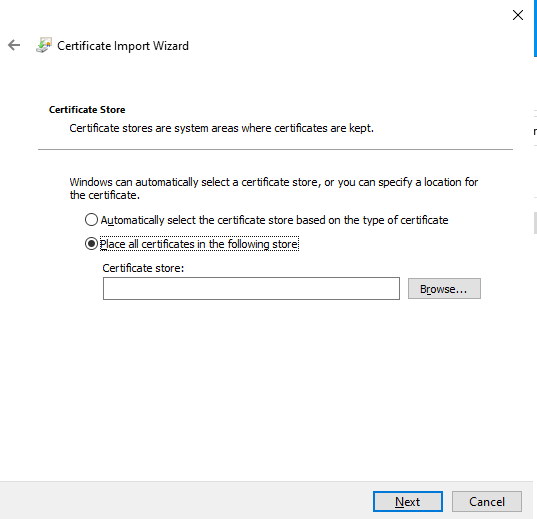
Download the SSL Certificate:
Manual wagent Installation
open a command prompt with Administrator privileges, this must be CMD and not Powershell.
The command we need to run to install the software is (change the TRANSFORMS=… part to match the MST for the school):
msiexec /i "wagent.msi" /qn TRANSFORMS="123-4567 wagent transform filemst.mst"
Manual Client Filter Installation
open a command prompt with Administrator privileges, this must be CMD and not Powershell.
The command we need to run to install the software is (change the TRANSFORMS=… part to match the MST for the school):
msiexec /i "nMonitor Client.msi" /qn TRANSFORMS="123-4567 nMonitor transform filemst.mst"
Once this is installed you will see the below icon in the system tray
